To see Insta-Shops that you've completed, open the Insta-Shopper app or go to the Presto map (http://prestomap.com).
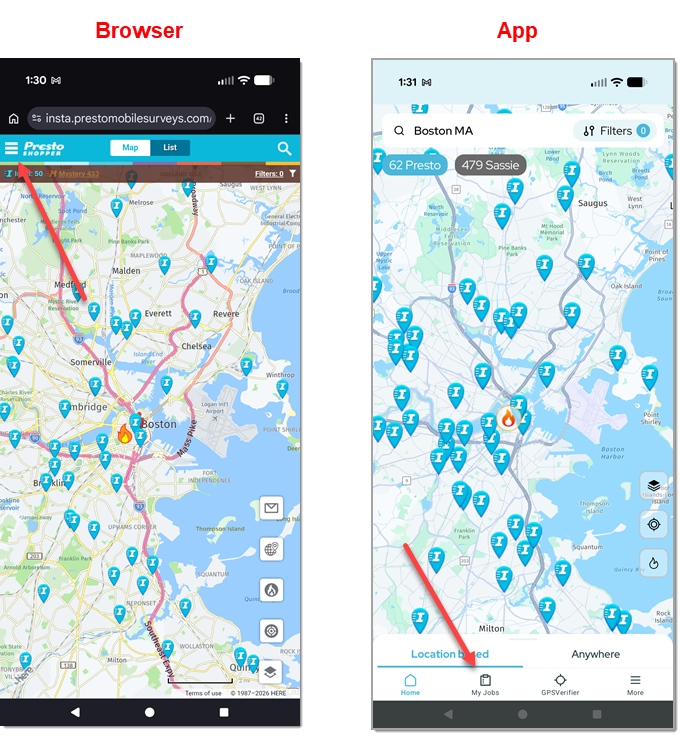
- Browser: click the menu icon in the upper left corner.
- App: click My Jobs.
If you are not already logged in, log in to your Presto Insta-Shopper account.
I forgot my password
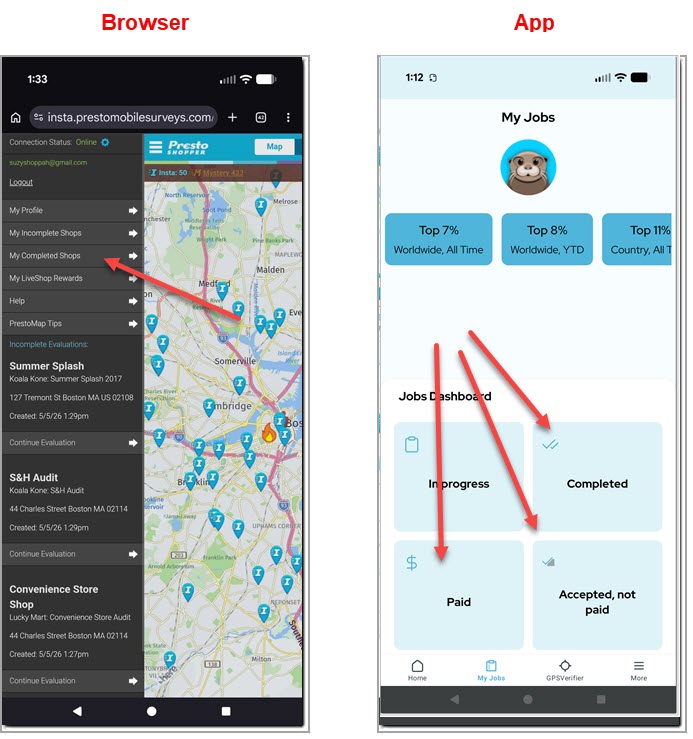
- Browser: click My Completed Shops to see your completed shops.
- App: click one of the tabs to show:
- All completed shops
- Paid shops
- Shops that have been accepted but not paid
Note that some shops are not payable by Presto. Payment is not issued for:
- Shops that show 0 pay (these are paid directly by the mystery shopping company)
- Qualification tests and quizzes
- Appeals for denied shops (you will see that the appeal has been "accepted", but this only means that the appeal was received -- it does not necessarily mean that you will be paid for the original shop)
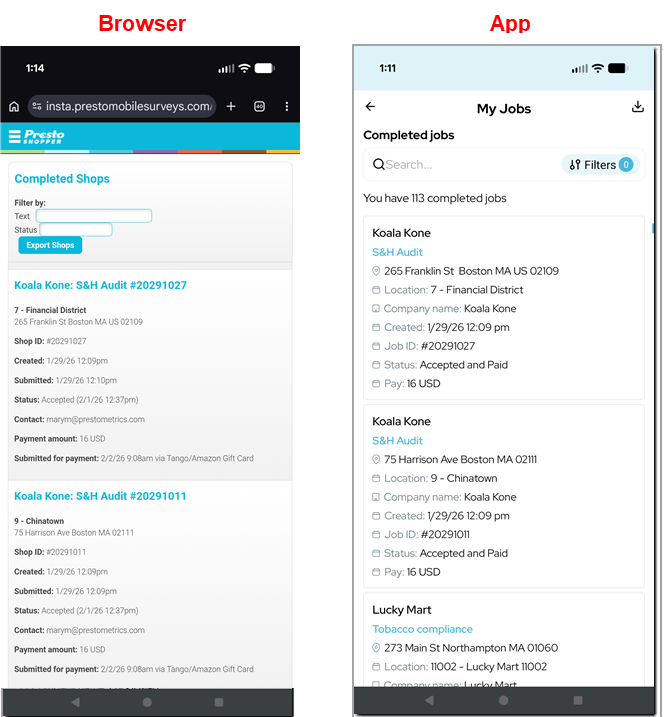
Each entry in the shop log contains the following information
- Company and survey name
- Evaluation ID
- Created date
- Status
If the shop has been accepted and also submitted for payment, the shop log also shows the pay amount.
Shops can also be exported or filtered by status, text or (in the app) by date
NOTE: this ONLY shows Presto Insta-Shops. It DOES NOT show any mystery shops that you have completed on other mystery shopping system, including SASSIE shops that you have found and applied for through the Presto map. For information on shops on other systems, please log onto your shopper account on that system.
Was this article helpful?
That’s Great!
Thank you for your feedback
Sorry! We couldn't be helpful
Thank you for your feedback
Feedback sent
We appreciate your effort and will try to fix the article